
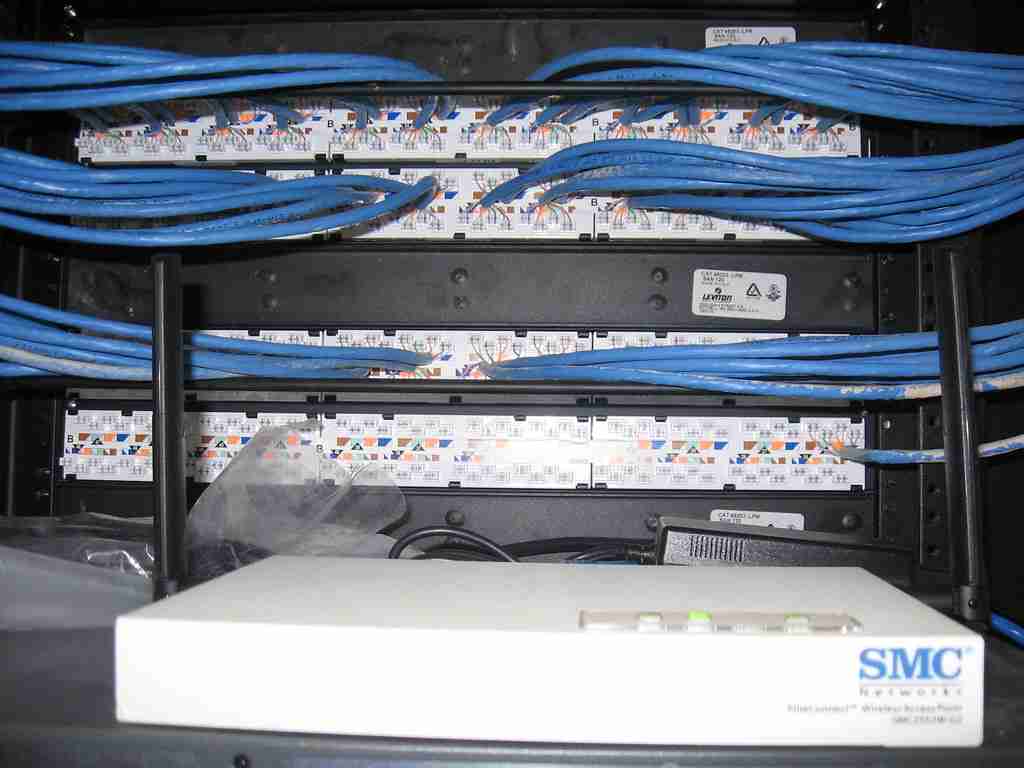
Business Wi-Fi is not simply a matter of placing a device in a convenient spot. Employees, guests, cloud applications, mobile devices, and connected equipment can all place different demands on a wireless network. A thoughtful wireless access point plan starts with how a space is used, where connectivity is needed, and how the wireless network connects to existing infrastructure.
For commercial organizations in the Metro Phoenix area, the right approach may vary significantly from one building to another. Office suites, warehouses, healthcare practices, conference rooms, dispatch operations, and multi-location businesses can each present different planning considerations. Instead of starting with a product comparison, it is often more useful to begin with the environment and the organization’s operational needs.
What Is a Wireless Access Point?
A wireless access point is a networking device that allows Wi-Fi-capable devices to connect to a wired network. In practical terms, it creates a connection point for laptops, phones, tablets, printers, and other business devices that need wireless access.
In a commercial environment, an access point is usually part of a larger network design rather than a standalone purchase. The number of access points, their potential locations, and their configuration should reflect the layout of the facility, the available wired network, and the ways people and devices use the space.
Wireless Access Point vs. Router vs. Wi-Fi Extender
These terms are sometimes used interchangeably, but they serve different functions within a network.
- Router: A router directs traffic between networks, including the connection between a business network and the internet. Some routers also include wireless functions.
- Wireless access point: An access point provides wireless connectivity from a wired network in a selected area.
- Wi-Fi extender: An extender repeats an existing wireless signal to reach another area. It may be considered in certain situations, but it is not automatically the right choice for every commercial setting.
There is no universal answer to whether an access point or extender is better. The appropriate option depends on the building layout, available cabling, user activity, device needs, and broader network design. Organizations planning an expansion, workspace change, or network update may benefit from reviewing those factors together.
Where Planned Business Wi-Fi Matters
Wireless requirements often become more visible when a business grows, reconfigures a facility, adds connected devices, or needs reliable connectivity in areas that were not part of the original network design. A review can help identify where wireless access is important and what physical conditions may affect planning.
- Office environments: Work areas, conference rooms, reception spaces, and shared areas may have distinct wireless needs.
- Warehouses and manufacturing facilities: Open areas, racking, equipment, mobility needs, and building materials can all be relevant to wireless planning.
- Healthcare practices: Administrative spaces, staff workflows, guest access, and connected devices may need to be considered as part of the network discussion.
- Construction and field-service businesses: Office, dispatch, yard, and project-related operations can create different connectivity requirements across the organization.
- Multi-location organizations: Businesses may want to document consistent wireless practices while accounting for the differences between individual sites.
Walls, shelving, machinery, construction materials, device density, and normal operational activity can influence wireless design decisions. These variables are why a single device or placement method should not be assumed to fit every business environment.
Connecting Wireless Planning to Wired Infrastructure
Wireless access points depend on more than wireless technology alone. They commonly need a connection back to the wired network, so available cabling paths, network equipment, and power requirements may be relevant to the conversation. An existing network may be ready for an update, or a project may reveal infrastructure questions that should be addressed before wireless equipment is selected.
When a facility needs new or updated network cabling, structured cabling can be part of the larger infrastructure discussion. Considering wired and wireless components together helps organizations make decisions based on the complete environment rather than treating Wi-Fi as an isolated technology purchase.
A Practical Framework for Evaluating Access Points
The exact project scope should reflect the customer’s environment, but a business Wi-Fi planning conversation may include the following steps:
- Review how employees, guests, applications, and devices use the network.
- Consider the facility layout and the areas where wireless connectivity is needed.
- Evaluate existing wired infrastructure and identify related considerations.
- Develop recommendations for access point placement and network configuration.
- Coordinate implementation decisions around the agreed scope and business priorities.
- Document the resulting network approach and discuss future support needs.
This framework keeps attention on the business use case. It can be useful for organizations considering office changes, facility expansion, new connected workflows, guest Wi-Fi, or wireless network modernization.
Business Technology Support Beyond the Access Point
Access point decisions may intersect with broader technology planning, network administration, and ongoing support needs. Businesses that want help coordinating technology priorities can explore managed IT services as part of a broader support strategy. The appropriate level of assistance depends on the organization’s internal resources, technology environment, and goals.
If your business is evaluating wireless access points, reviewing connectivity concerns, or planning a network-related project, begin with a clear description of the facility and intended use. Contact Echelon Technologies to discuss your business technology priorities and determine the next practical step for your organization.