
Commercial IT services for Scottsdale and Metro Phoenix
Managed IT Services for Phoenix Businesses
Echelon Technologies provides managed IT services for commercial organizations in Mesa and across Metro Phoenix. Our team helps businesses coordinate ongoing support for users, devices, business Wi-Fi and networking, cybersecurity, technology planning and preventative technology maintenance around their operational needs.
- Remote help desk and onsite support
- Microsoft 365 and Google Workspace
- Computers, applications and user access
- Networks, Wi-Fi, monitoring and backups
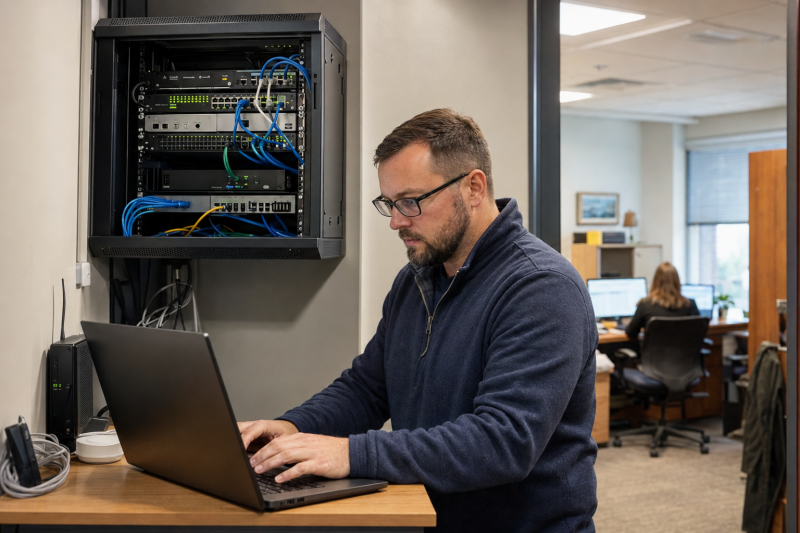
Managed IT, in plain English
What Are Managed IT Services?
Managed IT services give a business one accountable technology team for ongoing employee support and the systems behind that support. Echelon helps Phoenix businesses manage users, computers, Microsoft 365 or Google Workspace, applications, access, networks, monitoring, backups and technology planning through remote and onsite service.
Echelon can serve as your complete outsourced IT department or work alongside an internal employee or IT team. Responsibilities are defined so employees know where to go and important systems do not fall between providers.
Managed IT Services For Dependable Business Technology
Your users need responsive assistance, while the business needs its technology actively managed.
- Support for people
- Resolve day-to-day problems with computers, applications, email, accounts, printers and connectivity.
- Management behind the scenes
- Maintain devices, Microsoft services, networks, security controls, backups and documentation.
- Planning for change
- Prepare for new hires, office moves, equipment replacement, cloud changes and business growth.
What we manage
Managed IT Services for Mesa and Phoenix Businesses
You do not need to determine which vendor owns which issue. We trace the problem across the user, device, cloud account, application and network, then coordinate the right solution.
Employee IT support
Remote troubleshooting for day-to-day issues, with onsite service when the problem requires a person at your location.
Microsoft 365 and Google Workspace
Manage users, licenses, email, files, calendars, collaboration, shared resources and administrative settings across the platform your business uses.
Identity and device management
Use Entra and Intune to manage sign-ins, access, company computers, policies, applications, updates and device compliance.
Business networks and Wi-Fi
Design and manage firewalls, switching, wireless coverage, network segmentation, internet connectivity and remote access.
Monitoring, protection and backups
Monitor supported systems around the clock, maintain endpoint protection and backups, and respond to issues based on the service plan.
Business application support and vendor coordination
Troubleshoot supported business applications and determine whether a problem involves the application, user account, computer, network or cloud service. When another provider must be involved, Echelon can coordinate the technical details so employees are not left passing information between vendors.
Technology planning and projects
Plan and complete technology projects, equipment replacements, office changes and practical improvements for future business needs.
AI and process automation
Business Process Automation and AI Support
Echelon can help identify practical automation opportunities when employees repeatedly enter the same information, route routine requests or move data between supported systems. We begin with the business process and use AI only when it is more appropriate than a straightforward rule or integration.
Microsoft 365 and Google Workspace management
From a new employee's first account to their final day
Microsoft 365 and Google Workspace are more than email and office applications. They connect employee accounts, files, calendars, collaboration and access. We manage the platform your business uses so routine changes are handled consistently.
Microsoft 365 administration
Administer Exchange, Teams, SharePoint and OneDrive, including users, licenses, groups, shared resources and service settings.
Google Workspace administration
Administer Gmail, Drive, Calendar and Meet, including users, licenses, groups, shared drives, security settings and data access.
Identity and access
Manage accounts, authentication, roles and access policies so the right people can reach the right business resources.
Company device management
Enroll and configure supported devices, deploy applications and settings, manage updates and perform appropriate remote actions.
A consistent employee lifecycle
Create the user, assign the right licenses and configure access before the employee starts.
Configure the computer, required applications, policies and company resources.
Help with sign-ins, email, files, meetings, applications, hardware and connectivity.
Block access, preserve or transfer business data and recover company equipment.
Network and continuity
Support reaches all the way to the network
A slow application may actually be a wireless, switching, firewall, internet or device problem. Because we manage the infrastructure as well as the user environment, we can investigate the complete path instead of sending your staff back and forth between providers.
We also plan the network around the systems it supports—including employee devices, cloud applications, phones, cameras and access control—while separating traffic where appropriate.
Keeping the business ready
- Monitoring and maintenance
- Track supported systems, install approved updates and address warning signs before they become larger disruptions when possible.
- Backup and recovery planning
- Protect agreed business data and systems with backups designed around how the organization would need to recover.
- Security coordination
- Connect day-to-day IT management with the identity, endpoint, email and network protections covered by our cybersecurity services.
Becoming your IT partner
What Happens When You Switch Managed IT Providers
Before ongoing support begins, we learn the environment, identify immediate risks and create the information our team will need when someone asks for help.
Understand the business
Review locations, employees, applications, vendors, recurring problems, priorities and how support is handled today.
Document the environment
Inventory supported users, devices, Microsoft services, networks, administrative access and relevant agreements.
Stabilize and protect
Address agreed priorities, deploy management tools and align monitoring, backups, protection and access with the plan.
Support and improve
Resolve user issues, maintain the environment and plan projects or replacements before they become emergencies.
Questions to ask any IT provider
A useful proposal should clearly define responsibilities and what happens after onboarding.
- Which users, locations, devices and systems are included?
- When is support remote, and when will someone come onsite?
- Who controls administrative accounts, documentation and vendor access?
- How are monitoring alerts, backups and security events handled?
Start with the priorities
Not Sure What Needs to Change First?
Tell us how IT is handled today, where employees are losing time and what systems are causing concern. We can review the environment, identify the immediate priorities and explain what ongoing support would include.
Related services
Connect IT management with the systems around it
These services can be scoped independently or planned with managed IT when the same network, identities or infrastructure connect them.
Frequently asked questions
Managed IT Services Phoenix FAQs
What does a managed IT provider actually do?
A managed IT provider takes defined responsibility for supporting users and maintaining agreed technology. That can include computers, Microsoft 365 or Google Workspace, accounts, applications, networks, monitoring, backups, endpoint protection, vendors and technology planning. The exact responsibilities should be written clearly in the service agreement.
Can Echelon be our entire IT department?
Yes. We can act as the primary IT team for a business that does not employ internal IT staff. We can also work alongside an internal IT employee or department by dividing responsibilities based on skills, locations, systems or support needs.
Do you provide both remote and onsite IT support?
Yes. Many software, account and configuration problems can be resolved remotely, which usually gets an employee help faster. When an issue requires physical access, equipment installation or work at the location, our Arizona-based team can provide onsite service according to the support plan.
Can you take over an existing Microsoft 365 or Google Workspace environment?
Yes. We review the existing environment, administrative access, users, licenses, domains, email, files, collaboration settings, identity controls and connected devices. We then document what is in place and recommend which issues should be addressed first rather than changing everything without context.
Do you support employee onboarding and offboarding?
Yes. We can prepare accounts, licenses, access and devices for new employees, then disable access, preserve or transfer business data and coordinate equipment recovery when someone leaves. A consistent process helps reduce delays and overlooked access.
Does managed IT include cybersecurity?
Security is part of responsible IT management, including updates, account protection, endpoint controls, backups and network configuration. Broader cybersecurity requirements, risk assessments and more advanced protections can be addressed through our dedicated cybersecurity service and coordinated with the managed IT plan.
Can you improve our network and Wi-Fi too?
Yes. We design, configure and manage business firewalls, switches, wireless networks and related infrastructure. We can evaluate coverage and performance, separate appropriate systems and plan changes for new employees, offices, cameras, access control or cloud applications.
Can you help us use AI or automate a business process?
Yes. We can help identify a practical use case, map the current workflow, evaluate the systems and data involved, implement an appropriate AI or automation solution and train the people responsible for it. We also define where human review or approval should remain instead of assuming every step should be automated.
How do you begin supporting a new client?
We begin by learning how the business operates and documenting the users, devices, Microsoft 365 or Google Workspace services, network, vendors and current concerns. From there, we agree on priorities, deploy the appropriate management and protection tools, and give employees a clear way to request support.
Start the conversation
Talk With Us About Your Managed IT Needs
You do not need a complete inventory or technical diagnosis before contacting us. Tell us how many people and locations you support, what is frustrating your staff, how IT is handled today and what you want to improve—including any repetitive process you think could be automated. We can help organize the technical details from there.
- Phone: (480) 787‑5600
- Hours: Monday–Friday, 8:00 a.m.–5:00 p.m.
- Service area: Phoenix metro and businesses across Arizona
Talk With Echelon About Your IT
Share what you know about your business, current technology and the kind of support you are looking for.